Discovery engine
Run saved and rerunnable searches from company, sector, geography, occupier, or asset filters.
- Company-first and sector-led search modes
- Free-source-first controls before paid enrichment
- Run history, deltas, and result snapshots

Tellingly follows the way an analyst works: find a lead, understand the evidence, open the record, test the thesis, and record the decision.

The workspace is the analyst's starting point. It brings active research, monitored assets, source warnings, saved work, portfolios, and recent reports into one ordered view before the analyst moves into a specialist workflow.
Representative interface using demonstration data from the protected analyst portal. No private customer or property record is published.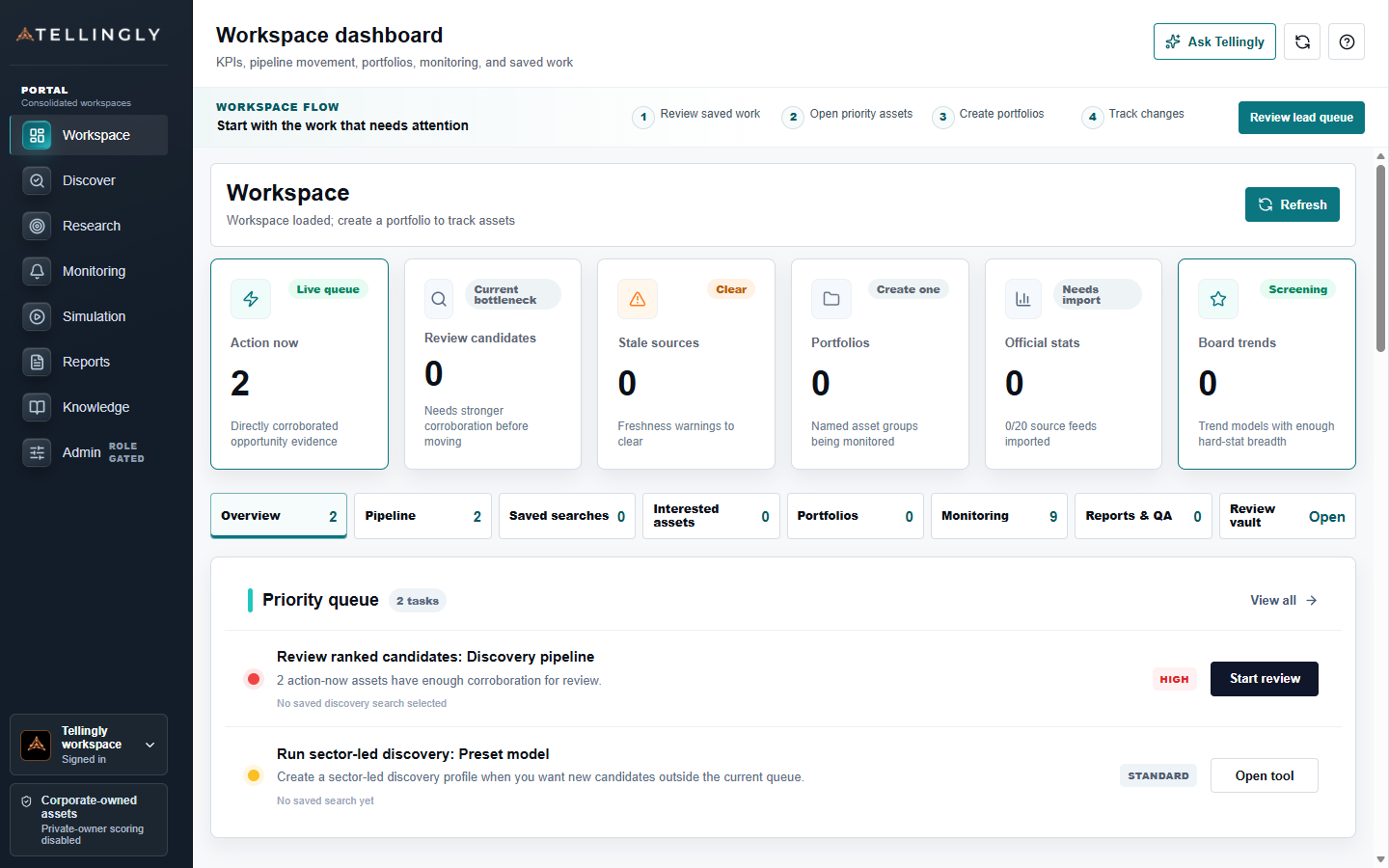
The workspace distinguishes urgent review from saved reference material. An analyst can see the live opportunity queue, monitoring changes, source readiness, retained research, portfolios, and report activity without opening several disconnected products. The screen answers three practical questions: what changed, which evidence is ready, and where should work continue?
Discovery, property intelligence, evidence review, scenario analysis, monitoring, simulation, and reporting share the same subject and evidence revision. Analysts can move between them without rebuilding the property context.
Teams can begin with free and warehouse evidence, shortlist the candidates that survive review, and request premium enrichment only for an individual property that justifies the additional cost.
Discover is used to define and review a candidate universe. Property Workspace is used to establish the selected asset, explain its current reading, and inspect ownership, occupation, financial, market, planning, event, and source evidence. Property Analysis is used for deeper scenario, relationship, local-market, and revision work.
Monitoring, Simulation, Reports, and the Review Vault preserve different outcomes. Monitoring follows a live interest, Simulation tests evidence through time, Reports create immutable artifacts, and the Review Vault retains work for future reference without starting an alert.
A property conclusion should not change simply because the user moved to another tab. The selected subject, evidence scope, source dates, confidence, counterevidence, unresolved actions, and analytical revision travel with the workflow.
When a report is generated, it is bound to that frozen revision. This creates a reproducible record of what the analyst could see, what remained uncertain, and what action was proposed at the time.
Each module is designed to answer a different question in the asset discovery process.
Run saved and rerunnable searches from company, sector, geography, occupier, or asset filters.
Open a selected asset into a structured record with map context, ownership, occupier evidence, signals, and source coverage.
Reduce unknown occupiers by cross-checking property address evidence against business registers and known source facts.
Create an asset-specific strategy pack once a user decides a lead deserves deeper review.
Scan UK sectors and subsectors for distress patterns, then map companies back to owners, occupiers, and assets.
Keep analyst judgement inside the product so rankings can be tuned against real outcomes.
Users can start broad, then spend more time and data budget only on assets that survive review.
The working context is not discarded when a user moves from discovery to the asset record, analysis, monitoring, or reporting.
A plain-English conclusion, decisive evidence, counter-case, confidence boundary, and next unresolved action.
A canonical record covering identity, ownership, occupation, financials, market, planning, relationships, evidence, and sources.
Evidence-bound cases for acquisition, retention, repositioning, alternative use, financing, or exit—with assumptions and risks exposed.
Snapshot-bound board packs and due-diligence artifacts whose evidence, narrative, HTML, and PDF remain reproducible.
Approved users can log in to the analyst workspace; new teams can request a time-limited trial and agree the sources, workflows, and review criteria that matter to them.